
Spirit Crossing Customization Guide: Outfits, Dye, Hair & Flair
How Spirit Crossing customization works: wardrobe slots, dye, Kasu's appearance changes, outfit save slots, gliders, emotes and flair tags.
Quick answer: Change clothes in the Wardrobe, change hair, face, skin and facial hair at Kasu's sanctuary, and dye garments with flower pigments. Outfit save slots are limited for free players; Cozy Club adds more. Gliders, emotes and flair tags are separate cosmetic tracks unlocked through play.
Customization in Spirit Crossing is cosmetic only. There are no stats on clothing, no set bonuses and no combat to optimize for. That is liberating: wear what you like, dye it until it matches, and change it when you are bored.
The wardrobe
The Wardrobe is a menu, not a physical closet. It has slots for:
- Torso
- Legs
- Full body (dresses, robes, jumpsuits)
- Shoes
- Backpack
- Glasses
- Hat
- Head covering
- Patterns
- Glider
A full-body item overrides torso and legs. If an outfit looks incomplete, check whether a full-body piece is equipped.
The wardrobe also shows dye channels per item. Some items have one channel; others have two or three. A two-channel item is worth more to a stylist than a rare one-channel item.
Dye and pigments
Dye comes from purified flowers. Each flower color maps to a pigment family, and mordant (from mushrooms) fixes the color. The dye station is at the waystation; Paint Mode lets you preview colors on furniture and some clothing.
Practical dye advice:
- Dye the biggest piece first. A coat in the right color carries an outfit.
- Use one accent. Two bright colors fight; one bright plus neutrals reads clean.
- Black and white are seasonal. Some neutral pigments rotate with events; stock up when they appear.
- Patterns multiply dye. A patterned garment with two channels gives you more combinations than a plain one.
Changing your appearance
Kasu, the village spiritual leader, handles hair, face, skin and facial hair changes at the sanctuary. You do not need to restart your character. The first change is free in most builds; later changes may cost a small fee or a token.
Kasu also runs the Basic Spirit Cauldron, which is related to offerings and some cosmetic patterns. If you are looking for a specific hairstyle, check Kasu's menu before buying a hat.
Outfit save slots
Free players get a few outfit save slots; Cozy Club adds more. The slots store a full look, including dye, so you can switch between a fishing outfit, a festival outfit and a cozy indoor outfit without re-dyeing every piece.
If you are a free player, use the slots for your two most common looks and keep screenshots of the rest. The Cozy Club guide→ covers whether the extra slots are worth the membership for you.
Gliders, emotes and flair
Gliders are cosmetic and functional. You unlock patterns through quests, spirit friendship and events. A glider does not change speed or stamina; pick the silhouette you like.
Emotes are unlocked through NPC friendship. They matter mechanically for introductions: using an expression near a stranger is one of the ways to trigger an introduction. The friendship panel shows which NPC unlocks which emote.
Flair tags are profile labels earned through friendship levels, errands and specific actions. You can display up to three. Examples include Beta Tester, Bonfire Bard, Home Stylist and Kindred Spirit. Flair is the closest thing to a title system in the game.
Where to buy clothes
- Tailor: the main clothing vendor, with a rotating stock.
- Seasonal vendors: holiday outfits and accessories.
- Spirit vendors: patterns unlocked through the spirit language.
- Cozy Club shop slots: extra rotation slots, not exclusive items.
- Quests and events: unique pieces you cannot buy.
Check the Tailor's rotation daily if you are hunting a specific piece. The stock changes, and some items do not return for weeks.
A stylist's workflow
- Pick a silhouette. Full body, coat and trousers, or layered top and skirt.
- Pick a palette. One dominant color, one accent, one neutral.
- Dye the largest piece first.
- Add one texture. Pattern, knit, leather or metallic.
- Check the back. Backpacks and gliders are visible in third person; make sure they do not clip.
- Save the look. Use a slot or screenshot the dye channels.
Dye basics
Dye comes from flowers, and the color depends on the flower, not the vendor. Purifying flowers with Maya turns them into pigment; mushrooms become mordant bases. A dye job usually needs:
- One pigment for the main color.
- One mordant to set it.
- A dye station at home or in the village.
Black and white accents are seasonal or special-order items. Do not dump every flower into one outfit; store a few of each color so a new recipe does not send you back to the meadow.
Where to shop for clothes
Three vendors cover most of the wardrobe:
- The Tailor for rotating stock and structured pieces.
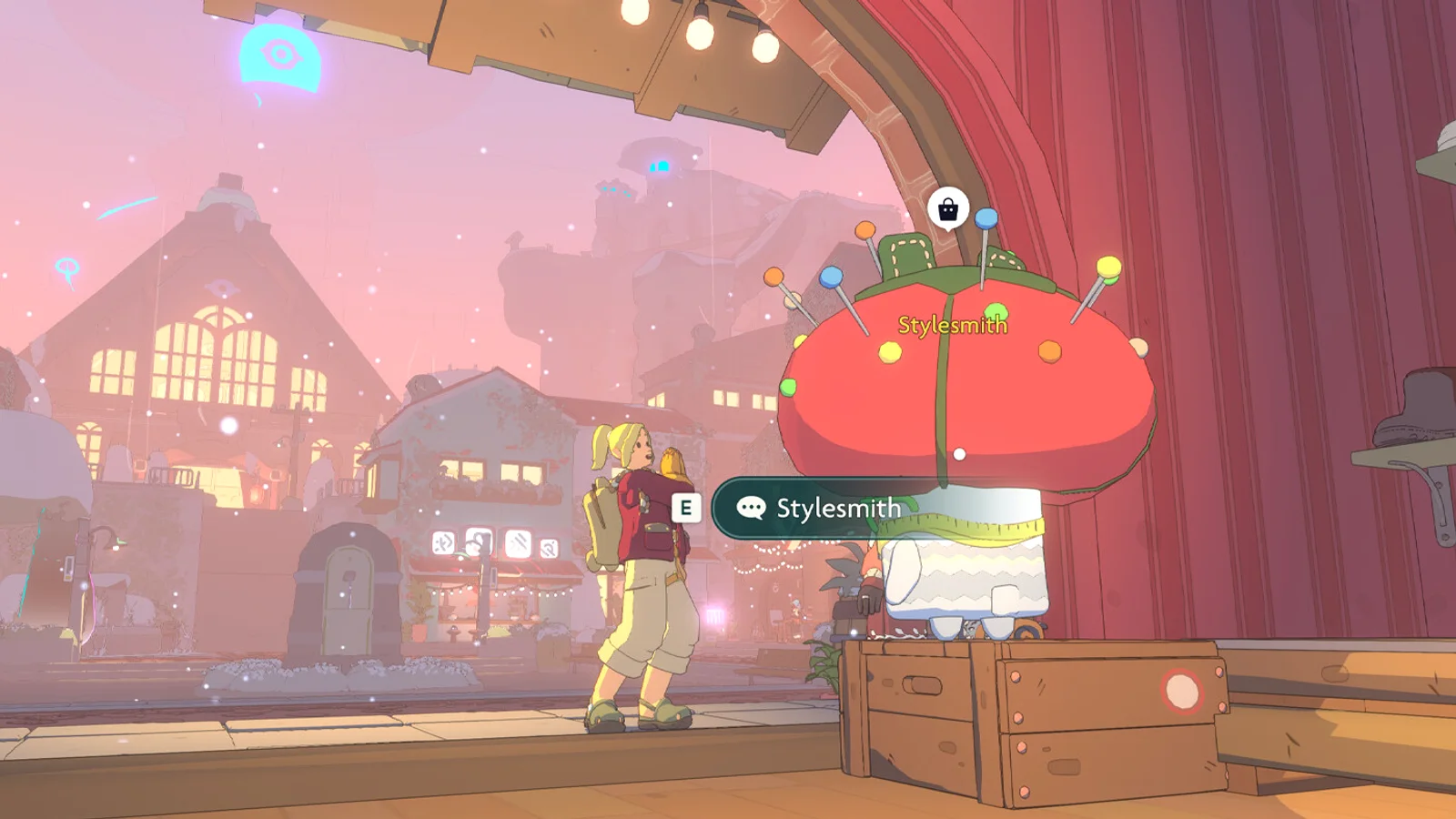
- The Stylesmith for accessories and appearance extras.
- The festival vendors for seasonal sets.
Kasu changes your body and hair, not your clothes. The wardrobe changes clothes, not your face. Keep the two systems separate in your head and you will not waste a trip to the sanctuary.
Planning an outfit
A practical outfit has three layers:
- Silhouette: full-body piece or torso plus legs.
- Accent: hat, glasses, backpack or shoes.
- Pattern: one texture, not three.
Match the accent to the dye, not to the silhouette. A loud hat with a quiet outfit reads better than a loud hat with a loud outfit. The same rule works for house decor.
Common customization problems
My outfit looks different after dyeing. Dye channels are per item. A two-channel item may dye the trim and the body separately; check both.
I cannot change my hair. Find Kasu at the sanctuary. The wardrobe only changes clothes.
A hat hides my hair. That is intentional. Some hats have a hair-compatible variant; check the item card.
My glider pattern reset. Glider cosmetics are per-glider, not global. Reapply the pattern after switching.
FAQ
Can I change my character's appearance after creation? Yes. Kasu at the sanctuary changes hair, face, skin and facial hair.
Does clothing have stats? No. Customization is cosmetic.
How do I get more outfit slots? Cozy Club adds slots. Free players have a smaller number.
What is flair? A profile tag earned through play. You can display up to three.
Sources
- Spirit Crossing on Steam ↗ — official customization and outfit description.
- Cozy Club membership intro ↗ — outfit save slots and cosmetic boundaries.
- Spirit Crossing roadmap ↗ — planned character customization updates.