
Spirit Crossing Multiplayer Guide: Friends, Co-op & Etiquette
How Spirit Crossing multiplayer works: shadow players, introductions, friend codes, offerings, Friend Gems, Lunkers, trains and shared-world etiquette.
Quick answer: Spirit Crossing is a shared online world, not a lobby game. Strangers appear as grey silhouettes until you introduce yourself with an expression, a shared seat or a train ride. After that you can add them as a friend, gift offerings, teleport to their home and join group activities such as Lunkers and fluffalo trains.
The multiplayer design is unusually gentle. There is no PvP, no loot competition and no party requirement for the main story. The social layer is opt-in, which means it is easy to play for a week and never speak to anyone — and also easy to miss the systems that make the world feel alive. If your friend is on another platform, start with the crossplay guide→; it covers friend codes and what does not transfer.
How you meet people
There are three introduction methods:
- Expression. Use an emote near a silhouette. If they respond, the introduction triggers.
- Shared seat. Sit on the same bench, log or train seat.
- Train ride. Board the same fluffalo train and chat.
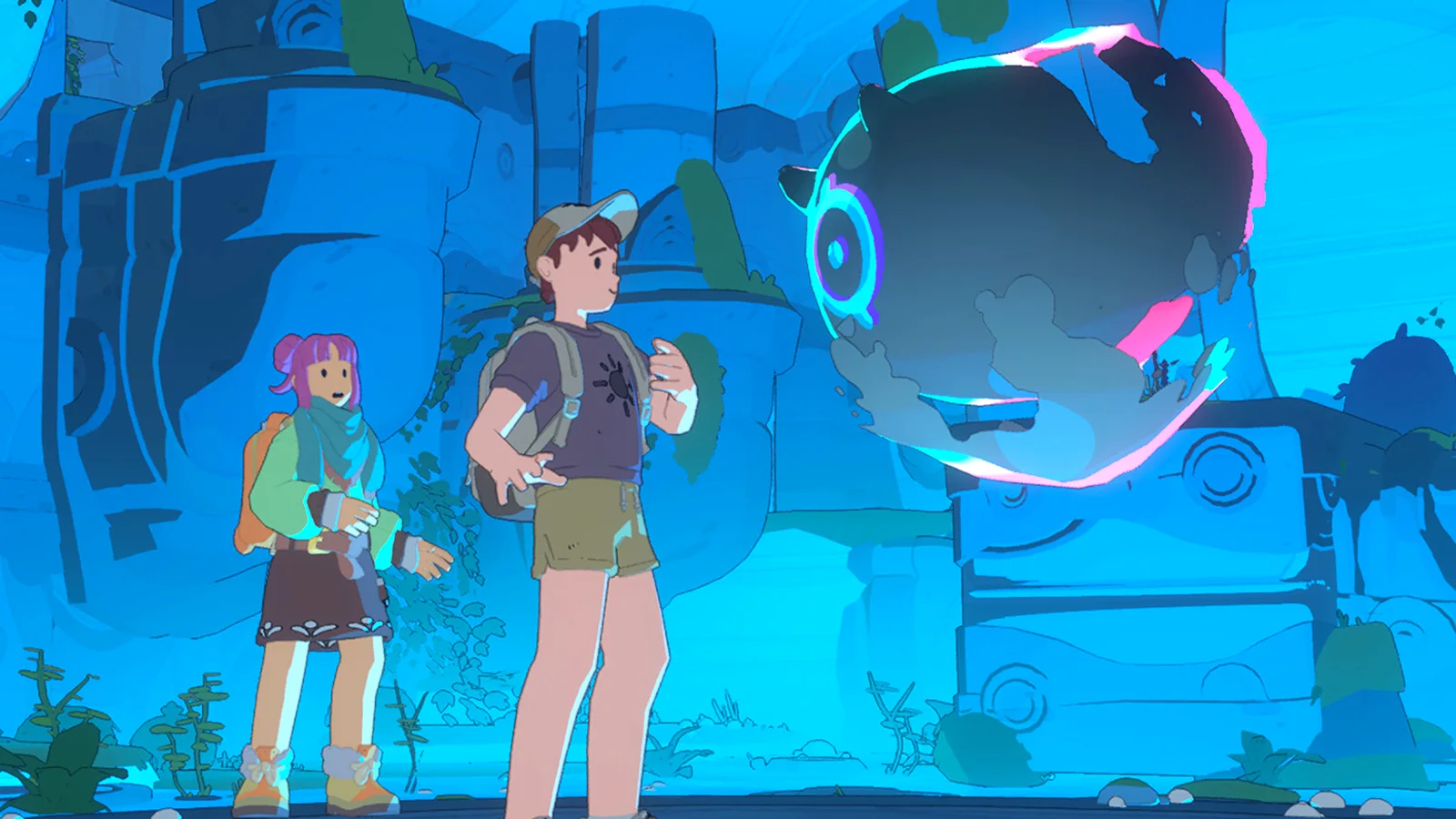
After the introduction, the player's name and colors return. Before it, they are a dark silhouette with a colored outline. This is not a technical limitation; it is the game's way of making strangers feel like strangers.
The main quest is soloable. You can ignore every silhouette and still finish the campaign. The game does not punish you for playing alone.
Friend codes and visiting
Friend codes let you visit a specific player's waystation or home. The code is shareable and does not require a platform friend request, which is how cross-platform visits work in practice.
To visit:
- Open the social menu and copy your friend code.
- Send it to the other player (Discord, chat, wherever).
- They enter it in the friend-code field.
- Travel via the trolley or the visit prompt.
Cross-progression is not advertised. Your character lives on the platform account you created it on; the friend code is for visiting, not transferring.
Offerings and friendship ranks
Player friendship uses offerings crafted at the Waystation Spirit Cauldron:
- Droplets: basic offering.
- Beads: mid-tier.
- Charms: high-tier.
Ranks unlock:
| Rank | Unlock |
|---|---|
| 7 | Gifts |
| 8 | Home visits and Beads |
| 13 | Teleport to player |
| 15 | Charms |
| 17 | Decorate each other's homes |
Offerings are not a trade. They are a friendship action, and the other player does not owe you a gift back.
Friend Gems
Friend Gems are the social currency. You get five from login and up to twenty-five from activities near other players, for a daily cap of thirty.
The easiest ways to generate them:
- Fish at the pier while someone else is fishing.
- Chop or mine near another player.
- Ride the train.
- Play music at a bonfire.
You do not need to talk. Shared presence is enough.
Group activities
Lunker fishing. The sixth eddy at the pier needs two or three players. Everyone casts and reels together.
Fluffalo train. One player leads, others ride. Passengers can chat and play music.
Storm bonfires. Shelter together for a stronger post-storm buff and more meteors.
Festival events. Group emotes, music and food. No score, no fail state.
Waystation projects. Shared building and beacon donations. This is asynchronous co-op; you do not need to be online at the same time.
Joining a friend's world, step by step
- Finish the Moving quest. The shared hub and trolley must be unlocked before visits work.
- Exchange friend codes. The code is in the social menu; it is not the same as your platform ID.
- Enter the code in the friend-code field and confirm the visit.
- Travel by trolley if the prompt does not appear automatically.
- Introduce yourself when you arrive. A wave or a shared seat is enough.
If the visit fails, ask the host to return to their waystation and try again. Players in solo instances or tutorials are not always visible to the visit system.
Hosting: what visitors can do
A visitor can walk around your home, fish at the pier, shop at the station vendors and join a storm shelter. They cannot:
- Move your furniture unless you grant permission.
- Empty your storage.
- Claim your waystation projects.
- Change your beacon donations.
The Cornerstone at your home controls visitor permissions. Set it to friends-only if you are tired of surprise guests; the default is not a public free-for-all.
Friend Gem farming route
A low-effort daily route that produces the thirty-gem cap:
- Log in for the five base gems.
- Fish at the pier for ten minutes; nearby players generate gems passively.
- Chop or mine at a shared node.
- Ride the train once.
- Sit at a bonfire during a storm.
You do not need to talk to anyone. Shared presence is the mechanic, which makes this the most introvert-friendly social loop in the game.
Etiquette that prevents drama
- Ask before visiting a home. The Cornerstone permission is the final say, but a message is polite.
- Do not move shared decor. Even if your role allows it.
- Do not empty the shared stash. Take what your project needs.
- Do not spam offerings or emotes at a player who has not introduced themselves.
- Give way at the pier. Eddies are shared; do not stand on someone else's cast.
- Report harassment. Use the in-game report and the support channel; do not retaliate.
Safety and moderation
Spirit Crossing is rated 13+ and has moderated chat and bulletin boards. The terms of service allow Spry Fox to moderate chat and in-game boards, with an appeal process by email. If someone is harassing you, block and report; do not engage.
Do not share personal information, account credentials or payment details in chat. The game does not need them, and no legitimate moderator will ask.
FAQ
Can I play Spirit Crossing entirely solo? Yes. The campaign is soloable, and group content is optional.
Do I need a microphone? No. There is no built-in voice requirement; chat and emotes are the main communication tools.
Can I add friends across platforms? Yes, through friend codes. Cross-platform multiplayer is listed on Steam.
Does my progress transfer between platforms? Cross-progression is not advertised. Treat your character as tied to the platform account where you created it.
Sources
- Spirit Crossing on Steam ↗ — cross-platform multiplayer and online co-op tags.
- Spirit Crossing Terms of Service ↗ — moderation and appeal process.
- Spirit Crossing support ↗ — design overview.