
Spirit Crossing Housing Guide: Your Plot, House & Permissions
How Spirit Crossing housing works: your plot, house upgrades, the Cornerstone, build permissions, overgrowth, Roomie and the hidden home locations.
Quick answer: Your home unlocks with the Moving quest. You get a private plot, a house, a Cornerstone and build permissions on that plot. The house can be upgraded from a cottage toward a larger peak home, and the plot supports outdoor decor, gardening and storage. Visitors only see it if your Cornerstone permissions allow it.
Housing is the long-term project in Spirit Crossing. The main story gives you the keys; the next hundred hours are about making the place look like you. This guide covers the systems — plot, permissions, upgrades, overgrowth — rather than a specific aesthetic. The decoration guide→ handles the furniture.
When housing unlocks
The Moving quest is the gate. Once you choose a waystation, you receive a plot and the Cornerstone. If you move to another waystation later, the house and inventory move with you; you re-place the house on the new plot.
Before the Moving quest, you can still pick up furniture and recipes. You just cannot place them.
Other players cannot enter your home unless you change the Cornerstone permissions. The default is private, which is why some players never see another person's house in the first week.
The Cornerstone
The Cornerstone is the sign at the entrance to your plot. It sets:
- Home name. Shown on the map and to visitors.
- Description. A short line visitors see.
- Visitor permissions. Private, friends-only or public.
- Build permissions. Who can place or move items on your plot (usually just you).
Set the name and description on day one. A named home is easier to find on the map, and visitors appreciate knowing what they are walking into. If you want feedback on your build, set the home to public and ask in chat; most players are happy to tour.
House upgrades
The house starts small and grows through upgrades. The exact material list is in the build menu, but the pattern is consistent:
- Clear overgrowth around the plot with Overgrowth Charms and a pickaxe.
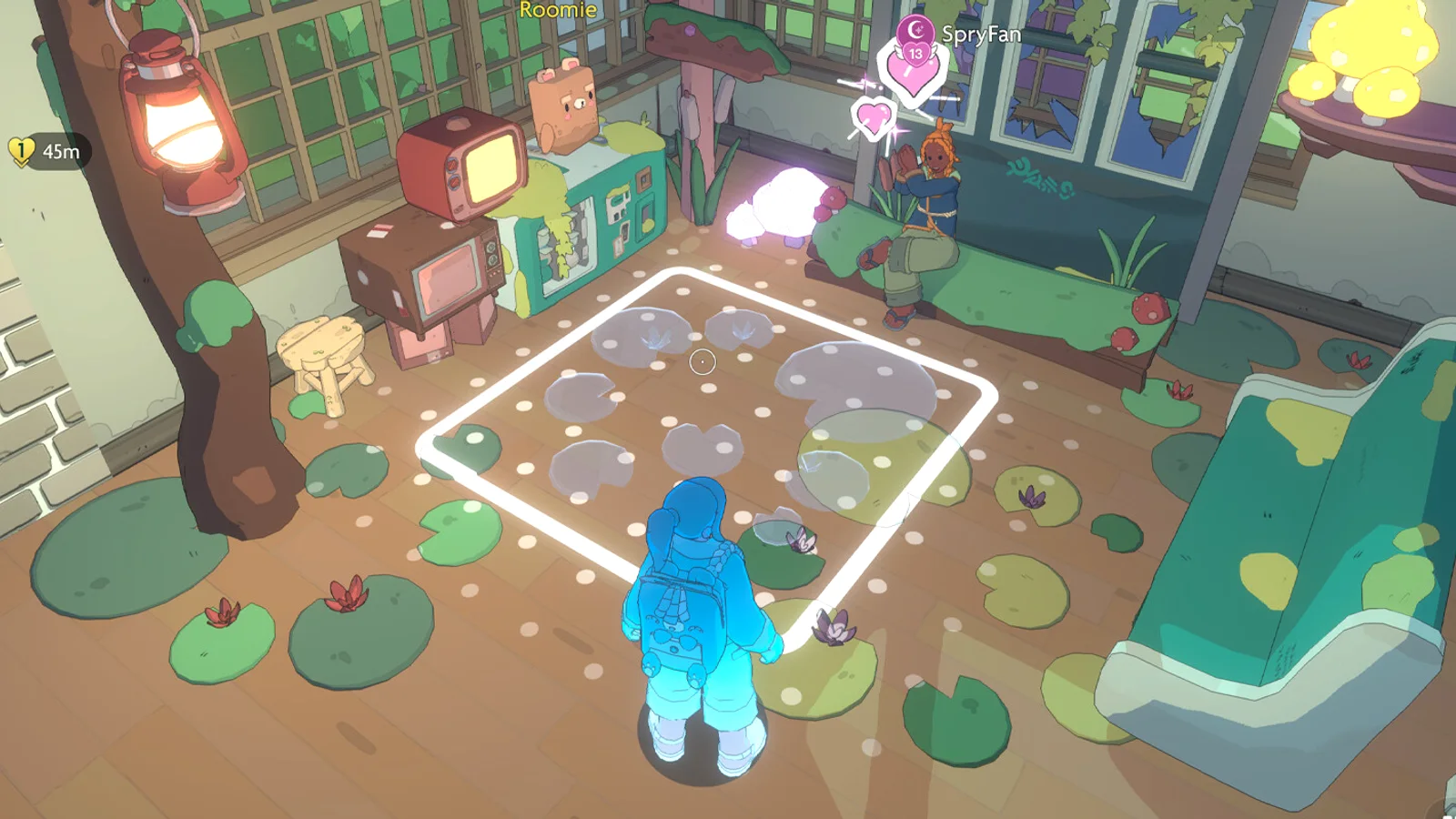
- Place the house frame and confirm the footprint.
- Supply the materials for walls, roof and interior.
- Upgrade the interior (rooms, stairs, storage) as your recipes expand.
The roadmap adds House Peak customization and starter-plot resource banks in Winter 2027. Until then, the upgrade path is the launch build's cottage-to-larger-home progression.
Build mode basics
Build mode is a grid-based placement system with free rotation and scaling for some items. The controls are shown on screen; on PC, the mouse handles placement and the keyboard handles rotation. On Switch, the right stick rotates and the face buttons confirm.
What you can place:
- Structures: walls, floors, stairs, roofs, fences.
- Furniture: seating, tables, beds, storage.
- Lighting: lamps, candles, string lights.
- Plants and garden: pots, trees, flowers, garden beds.
- Wall items: paintings, shelves, mirrors.
- Traversal: ladders, stepping stones, decorative bridges.
Outdoor items have a storm resistance value. Check it before placing a large garden; a storm can damage or displace low-resistance decor. The storm guide→ explains the damage rules.
Overgrowth and hidden locations
Overgrowth blocks build space and hides resources. Clear it with Overgrowth Charms, which come from quests and the waystation vendor. Two hidden locations are commonly reported on the home plot:
- A cave behind the waterfall.
- A cavern under the central overgrowth.
Both are optional. They usually contain a chest, a recipe fragment or a decor item. Clear the central overgrowth first if you want to find the cavern; the waterfall cave is easier to spot from the side path.
Roomie and the home
Roomie is your roommate, not a servant. The bear has its own quests, shop and dialogue, and it can be moved to a different spot on the plot. Roomie's shop (Kit's Comforts) sells furniture and decor that rotate over time.
Do not ignore Roomie's quests. They are a reliable source of recipes and home items, and they advance the friendship track that unlocks more dialogue. If Roomie is standing in an awkward place, use the move option in the home menu; you are not stuck with the default layout.
Storage and organization
Storage is the quiet quality-of-life system. Keep separate chests or storage zones for:
- Materials: ore, wood, clay, fluff.
- Dye and pigments: one chest per color family.
- Furniture: unsorted decor waiting for a room.
- Quest items: anything with a quest icon.
- Gifts: NPC favorites and player gifts.
A labeled storage room saves more time than a bigger house. The build menu has signs and labels; use them.
Common housing problems
I cannot place furniture. Check that you are on your plot, not a shared waystation area. Shared placement requires a role.
My outdoor decor disappeared after a storm. It was damaged or displaced. Check the storm resistance value and repair or replace it.
A visitor cannot enter. The Cornerstone is set to private or friends-only. Change the permission and re-invite.
I moved waystations and my house is gone. The house moves with you, but you must re-place it on the new plot. Check your build inventory.
The house upgrade is greyed out. You are missing a material or a recipe. The tooltip lists the requirement; the forge and the decor vendor are the usual gaps.
FAQ
When do I get a house in Spirit Crossing? After the Moving quest, which follows Roomie's waystation tour in the opening hours.
Can other players visit my house? Yes, if you set the Cornerstone to friends-only or public. The default is private.
Can I move my house to another waystation? Yes. The house and inventory move with you; you re-place the house on the new plot.
Do I need Cozy Club to decorate? No. Membership adds outfit slots and fluffalo customization, not housing access.
Sources
- Spirit Crossing on Steam ↗ — official home-building description.
- Spirit Crossing roadmap ↗ — House Peak customization and resource banks.
- Spirit Crossing support ↗ — design overview.